
Pro Tip
Did you know that you can create an Elementor vertical thumbnail slider without any additional plugins or addons? It’s true! You can achieve this using the image gallery widget that's already available in Elementor to create it.
Hey friends, I decided to create this blog because I faced a similar challenge. When I searched for an Elementor vertical thumbnail slider on Google, none of the ideas worked for me. After spending over 4 hours researching, I finally found a code snippet that worked. So, I thought I’d share it with you to make your journey easier. Let’s get those results effortlessly!

Introduction
Here, I want to introduce you to my slider, which I created using the Elementor image gallery widget. I incorporated some jQuery code and CSS to achieve the desired result. The slider is fully responsive, so you don’t need to worry about mobile optimization.
Live Demo
Here is an Elementor vertical thumbnail slider working demo so you can see how it works. You can create a similar slider using the code below. The best part is that you don’t need any extra plugins, and even if you’re not a developer,developer developers don’t worry; it’s basic, so you don’t need extensive coding knowledge.
If you need additional features or customization, you can show the slider code to your developer to create a customized version with any additional features you might need.




How To Create Elementor Vertical Thumbnail Slider using image gallery ?
Let me guide you on creating an Elementor vertical thumbnail slider using the image gallery widget. You can achieve this without any additional plugins or pro add-ons. Here are the steps:
Create a Section:
- Open the page where you want to add the thumbnail slider using the Elementor Page Builder.
- Add a single-column section for the Elementor vertical slider content.
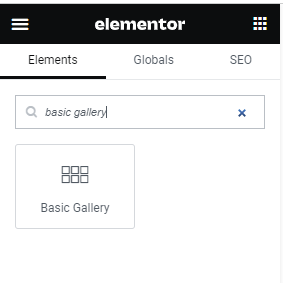
- Now search widget like below screenshot Basic Gallery.
Drag and Drop:
- Basic gallery widget drag and drop on your section.
- Select the images in the basic gallery, like the below screenshot.

Add Custom Code:
- Add an HTML element to your page (you can find it in the Elementor widgets)
- Inside the HTML element, paste the following code:.
<script>
jQuery(document).ready(function($) {
var activeImg = $(‘.images img’).attr(‘src’);
$(‘.container’).prepend(‘<img id=”changeMe” src=”‘ + activeImg + ‘” />’);
$(‘.container img’).on(‘click’, function() {
$(‘#changeMe’).prop(‘src’, this.src);
});
});
</script>
<style>
.container {
  display: flex;
  align-items: center;
  justify-content: center;
  line-height: 0;
  box-sizing: border-box;
  gap: 10px;
  height: 80vh;
}
img#changeMe {
  height: 100% !important;
  width: 40% !important;
  max-width: 100% !important;
  object-fit: cover;
}
.container .images {
  margin: 0;
  gap: 10px;
  width: 20vh;
  height: 100% !important;
}
.container .images .wp-block-image{
  width: 100% !important;
  cursor: pointer;
}

@media screen and (max-width: 1000px){
  body {
    background-color: #000 .important;
    margin-bottom: 10px;
  }
}
</style>
Customize the Slider:
- You can add and edit the above CSS and JS as you need. The above code will create the same as my demo on this page.
- If you need any help in Elementor and WordPress, contact us.
Conclusion
This is a basic setup for a vertical thumbnail slider in WordPress. You may need to adjust styles and functionality based on your specific requirements and theme structure. Additionally, ensure that jQuery is loaded in your WordPress theme. Also, there are many other ways to create a vertical slider, but for this you need to add new plugins or add-ons to create a vertical thumbnail slider.
FAQ
What is a vertical thumbnail slider?
- A vertical thumbnail slider is a design element that displays a series of thumbnails vertically in a sliding manner, typically used to showcase images or content in a compact space on a webpage.
How do I create a vertical thumbnail slider using Elementor?
- To create a vertical thumbnail slider in Elementor, you can use various methods, including custom CSS, JavaScript, or third-party plugins designed specifically for this purpose.
Why use a vertical thumbnail slider?
- Vertical thumbnail sliders are useful for displaying many images or content in a limited space, allowing users to navigate through them easily without taking up too much screen real estate.
In a Rush? Dive into Our Bite-Sized Web Stories!
If time is tight, explore our web stories—they’ll help you achieve your goals faster.