
Pro Tip
Timing is crucial when it comes to displaying your popup. Ensure it appears promptly without disrupting the user's browsing experience. Craft compelling content for your pop-up message. Use persuasive language and visuals to capture the user's attention and encourage action. Personalize the popup experience by leveraging user data. Tailor the message based on the user's behavior, preferences, or demographics for increased relevance.
Auto open popup refers to a web design technique where a popup window automatically appears upon loading a webpage, without requiring any user interaction
One effective way to capture users’ attention and convey important messages is by employing popups that automatically appear when a webpage loads. These auto-open popups, powered by jQuery, offer developers a versatile tool to enhance user interaction and achieve various objectives, from promoting products to capturing leads. In this article, we’ll delve into the world of on-page load auto-open popups and explore how jQuery can be used to implement them effectively. Whether you’re a seasoned developer seeking to refine your skills or a newcomer eager to learn, this guide will equip you with the knowledge and insights needed to leverage jQuery for creating compelling auto-open popups. So, let’s dive in and discover the magic of on-page load popups!
Why Auto Open Popups Matter
Auto-open popups matter because they offer businesses a powerful tool to engage website visitors effectively.
In the realm of web design, user engagement is king. Auto-opening popups serve as an ingenious strategy to keep users immersed in your content. By triggering a new popup immediately after closing the initial one, you capture and maintain user attention, fostering a more interactive and dynamic browsing experience.
Seamless Transition with jQuery
Seamless transition with jQuery refers to the smooth and fluid animation effects achieved using the jQuery library. jQuery enables seamless transitions that enhance user experience and add a touch of interactivity to websites.
jQuery, a robust JavaScript library, provides the perfect toolkit for implementing auto-open popups seamlessly. Its simplicity and versatility make it a favorite among web developers seeking to enhance user interactions without compromising performance.
Implementing Auto-Open Popups: A Step-by-Step Guide
Here I will explain how to open or show jQuery modal popup window on page load auto open popup with example or Get jQuery modal popup box to appear on page load. Simple jQuery modal popup window or jQuery modal dialog is used to show alerts messages, notifications, errors and many more with beautiful css styles.
Integrate jQuery into Your Website
Before diving into the implementation, ensure that jQuery is properly integrated into your website. You can either download the library and host it locally or leverage a Content Delivery Network (CDN) for efficient loading.
Copy Code
<script src="https://code.jquery.com/jquery-3.6.4.min.js"></script>
Create Your Popups
Auto open popup you can close using the jQuery code below.
To achieve this functionality using jQuery, you can use the setTimeout() method to wait for 3 minutes (180000 milliseconds) after the popup is closed and then use the fadeIn() method to show the popup again.
On Page Load Auto Open Popup jQuery Example
jQuery(document).ready(function() {

// Show the popup when the page loads

jQuery('#popup').fadeIn();

// When the close button is clicked, hide the popup and start the timer

jQuery(‘#close-btn’).click(function() {

jQuery(‘#popup’).fadeOut();

setTimeout(function() {

jQuery(‘#popup’).fadeIn();

}, 180000); // 3 minutes = 180000 milliseconds

});

});
In this example, #popup refers to the popup element, and #close-btn refers to the button used to close the popup. The fadeIn() and fadeOut() methods are used to show and hide the popup, respectively.

Jquery Popup Onload
Popup Modal is widely used on e-commerce sites to display featured products or the latest offers, while most of the blog sites use it for user registration or subscription. It’s effortless to embed on your site. The only thing you require is the understanding of the Bootstrap modal.
<div id="popupmodal" class="modal fade" tabindex="-1">
  <div class="modal-dialog">
    <div class="modal-content">
      <div class="modal-header">
        <button type="button" class="close" data-dismiss="modal">×</button>
        <h4 class="modal-title">Pop Up Model</h4>
      </div>
      <div class="modal-body">
        <p>This is the pop upmodel that'll be added on your webpage.</p>
      </div>
      <div class="modal-footer">
      </div>
    </div>
  </div>
</div>
tabindex="-1" will allow the user to close the popup box using the Esc key on their keyboard.
So, the modal is done and we don’t have a button to trigger the modal and we don’t need it too. Insted, we’ll add a jquery script that’ll trigger this modal on page load that means the page load will be the event to trigger this modal.
<script>
	 $(window).load(function(){
        $('#popupmodal').modal('show');
     });
 </script>
on page load auto open popup jquery
<!– Popup container –>
<div class=”popup” id=”myPopup”>
<p>This is an auto-open popup!</p>
<button onclick=”closePopup()”>Close</button>
</div>
<script>
    $(document).ready(function () {
        // Show the popup when the page loads
        $("#myPopup").fadeIn();
    });

    // Function to close the popup
    function closePopup() {
        $("#myPopup").fadeOut();
    }
 </script>
<style>
    /* Style for the popup */
        .popup {
            display: none;
            position: fixed;
            top: 50%;
            left: 50%;
            transform: translate(-50%, -50%);
            padding: 20px;
            background-color: #f9f9f9;
            border: 1px solid #ccc;
            box-shadow: 0 2px 10px rgba(0, 0, 0, 0.1);
        }
 </style>
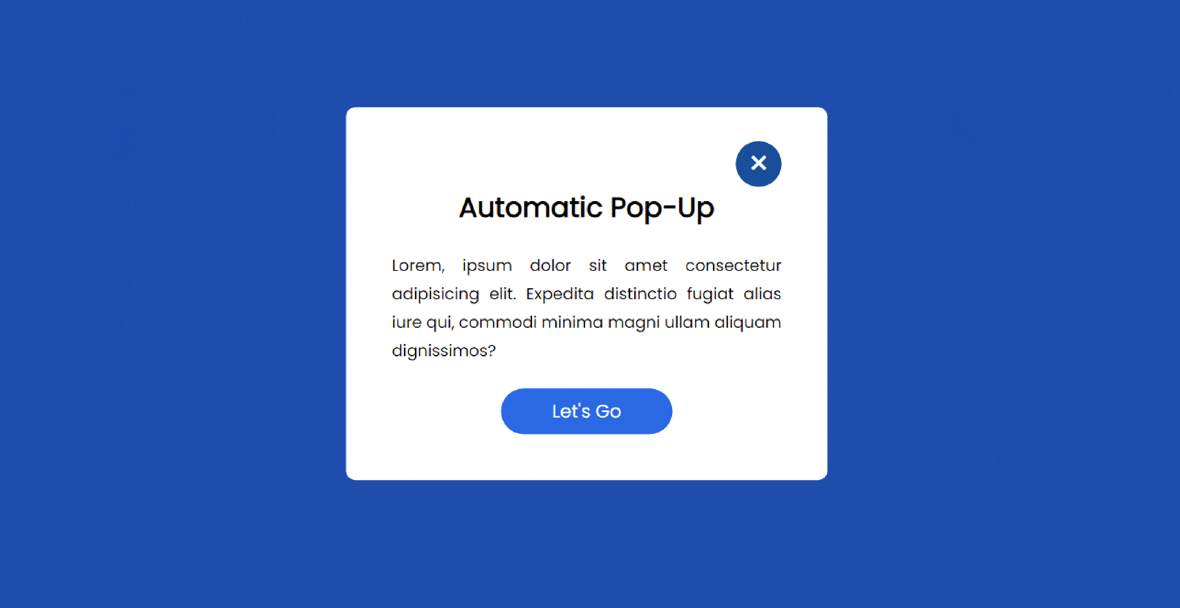
In this example:
- We include the jQuery library using a CDN link.
- The
.popupclass defines the styling for the popup. - The popup is hidden initially (
display: none;). - When the page loads, the
$(document).ready()function triggers, and the popup fades in. - The “Close” button calls the
closePopup()function to hide the popup.
Conclusion
On Page Load Auto Open Popup using jQuery can be a powerful tool for engaging website visitors, capturing leads, and promoting special offers or announcements. jQuery’s simplicity and flexibility, developers can create dynamic popups that seamlessly integrate with their website’s design and functionality.
On page load, auto-open popups can significantly impact user engagement and conversions. By following best practices and using jQuery effectively, you can create compelling and user-friendly popups that enhance your website’s overall experience.
FAQ
What is an on-page load auto-open popup?
- An on-page load auto-open popup is a type of popup that appears automatically when a user visits a webpage, without requiring any action from the user.
How can I create an on-page load auto-open popup using jQuery?
- To create an on-page load auto-open popup, you can use jQuery to target specific elements on your webpage and define trigger events to display the popup when the page loads.
How can I measure the performance of auto-open popups?
- You can track the performance of auto-open popups using web analytics tools to monitor metrics such as conversion rates, click-through rates, and engagement metrics like time spent on page or interactions with the popup.
What are the benefits of using on-page load auto open popups?
- On-page load auto open popups can help businesses grab users’ attention, promote special offers or announcements, collect email subscribers, and increase conversion rates.
How does on-page load auto open popup work?
- This feature is typically implemented using JavaScript or jQuery, where a script is added to the webpage to trigger the popup to open as soon as the page loads.
Are there any alternatives to on-page load auto open popups?
- Yes, alternative methods for engaging users on page load include slide-in boxes, notification bars, welcome mats, or exit-intent popups.
In a Rush? Dive into Our Bite-Sized Web Stories!
If time is tight, explore our web stories—they’ll help you achieve your goals faster.